List
Everything about the New Google AI Video Tool: Google Flow
Last Updated on February 13, 2026 by Muskan Sinha
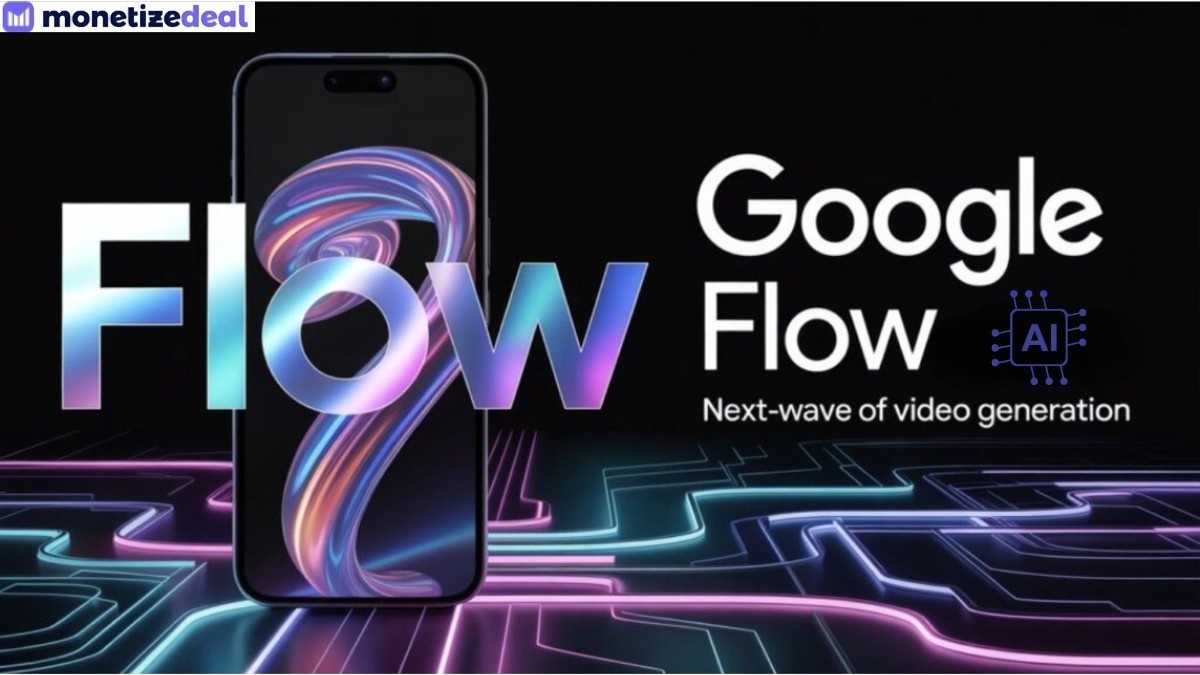
Ever since AI has stepped into our lives, it has expanded the world of opportunities and given space for the wildest imaginations to come to life. Almost everywhere you look, videos generated from AI are taking the world by storm and it’s almost hard to differentiate whether the content we see is reality or shaped by AI. Stepping into the market to capitalize on the AI tools trend, even Google launched a new AI video tool called Flow. This filmmaking tool allows people to turn simple ideas or text into cinematic clips, opening the way for storytelling like never before.
Since the world has incorporated AI into its everyday lives, Google wasn’t going to just stop at image generation tools. That is why Flow was launched in May 2025, realising the importance of AI video generation tools for content creation and filmmaking. Flow is an advanced tool built for creatives and can understand characters, camera movements and dialogues to create stories and scenes without much complications. With Flow, Google has opened new doors for creators and filmmakers to elevate storytelling experience in the best way possible.
What is Google Flow?
Google Flow is an AI-powered video creation and filmmaking tool that is far from ordinary. What’s special about Flow is its ability to create high quality, high production videos that include realistic visuals, audio and dialogues. Flow’s capabilities to turn simple text-based prompts into cinematic clips and narration are quite commendable and this is why with Flow, the world of filmmaking has reached new heights.
Flow is Google’s initiative to collaborate with filmmakers worldwide and take storytelling to the next level with the help of AI. Flow understands complex, dynamic camera movements and can create videos from 360-degree angles based on the given prompts. Flow emphasises cinematic focus and is a new invention to the traditional way of filmmaking. Flow has special features with which it can turn texts into videos, frames into videos, ingredients to a video and even full 360 drone shots.
How does Google Flow Work: Its Core Components
Flow uses Google’s most capable generative models to create videos with cinematic quality. Flow provides a range of features that are combined with natural language understanding, image creation and AI video synthesis. Flow is basically custom-designed and powered by Google’s other models such as:
- Veo Models for AI Video Generation
Google’s models such as Veo 3 and Veo 3.1 are the core components responsible for Flow’s ability to make cinematic-quality videos. These two models are the powerhouses that help Flow put intricate details into action. With the help of Veo 3 and 3.1, Flow can create realistic results, bringing concepts to life smoothly after understanding text-to-video or frame-to-video prompts.
2. Nano Banana Pro and Imagen 4 for Image Generation
Nano Banano Pro, as we all know, creates hyper-realistic images from texts, as we saw in the viral ‘vintage saree girl’ trend on social media. Similarly, Imagen 4 also has a deeper contextual understanding and creates lifelike characters, accurate visuals and image composition.
These two models are responsible for Flow to understand text descriptions and create cohesive visuals. With these models, Flow is able to go beyond normal image generation and focus on historical settings, fantastical realms and futuristic cities.
Features of Google Flow AI Video Tool
- Text To Videos
With Flow, you can create high-production and cinematic videos from simple texts prompts. If you describe a scene in natural language, Flow will translate that idea into visually rich videos. Many people experiment with ancient epic texts or experts and turn them into cinematic videos.
For example, you may have seen people post the scene in which Lord Krishna showed his Maha Avatar at Arjun’s request. All you need to be careful about is to be as specific as possible, by giving intricate details about lighting, camera angles, subject and action. With Flow, a normal text that may be too out of the ordinary can also come to life in the most stunning way.
- Frames To Videos
This is a unique feature of Flow, where you can add starting and ending frames and tell it to create a video from them. Your job is to add two static frames, write a prompt and command Flow to blend the two shots to create one unique video. For example, in the first frame you can add a girl and in the next frame, you can add a picture of rain.
Then, you can write a prompt saying ‘ show the girl dancing in the rain’ and Flow will give you a continuous video without distorting or morphing the characters in it. In the end, you will receive a naturally blended video that shows realistic motion and feels like one shot.
- Ingredients and Presets
Ingredients to videos is one of the most powerful features of Google Flow, where instead of just using text to convey the message, people use characters known as ingredients. These ingredients are reference assets (characters, objects, props, background, locations) that help creators generate a specific visual element.
The creators can use presets like cinematic, film noir or action figure and control the style, mood and lighting of the videos. With both these setting, you can create a cinematic masterpiece within a few minutes and doubt if you are ready to direct a film.
Let’s understand how this works: You give a prompt to Flow saying – ‘Detective walks into a bar, confirms suspect’. Now add a preset according to the mood and intensity of the shot in your mind and in just a few minutes the result will be astonishingly pleasant.
- Camera Control and Adjustment
This is another most powerful and important features of Flow, especially for filmmakers and editors. The camera control feature allows people to adjust camera angles and positions, control motion and zoom level, and take drone shots. If you are aiming to make a close up shot or a wide landscape shot, Flow’s camera control feature will help you create professional grade videos.
- Scene Builder and Expand
The scene builder feature on Flow allows creators to stitch multiple video clips into one single shot. With this feature, creators can arrange characters, props and environment in a storyboard-like layout and create a smooth transition. So instead of generating isolated clips, creators can maintain continuity and motion between characters.
Similarly, the expand feature on Flow lets creators think beyond a shot and let their creative freedom take the forefront. Creators can lengthen an existing video and continue the action beyond its original ending. This feature doesn’t stretch visuals but instead generates new frames or scenes by inferring context.
- Object Removal and Asset Management
With Flow, removing objects from the background of a video clip is quite easy without changing the clip’s composition, motion or lighting. Users can simply use the ‘pencil icon’ and circle the object they want to eliminate from the video and Flow will make it happen instantly. But if users want the perfect shot, they should ensure the object is clearly visible in the background so it can be removed.
The asset management feature on Flow helps users retrieve certain assets like characters, environments, background, props, etc for them to reuse them in other projects. Basically, it is like storing earlier projects in a creative library, from which you can reuse them for new projects. This feature helps users save time and maintain a consistent workflow.
- Flow TV: The Open Source Film School
Flow TV is a section under Flow that serves as a learning platform for new users. This section consists of multiple videos showing how to use Flow and create videos with accurate prompts. This helps users draw inspiration from others and see how far they can let their imagination go with Flow.
Users can learn the features to be used, the settings to be used, how to adjust camera actions, the prompts to give and much more to create a cinematic masterpiece. Flow TV is like a learning guide, a manual to help users get started with Flow.
How to Create Videos with Google Flow
- You can open Flow on Google Labs and start a new project or continue on the existing one.
- Then choose your input method, whether you want to go for ‘Text to video’, ‘frame to video’ or ‘ingredient to video’.
- The next step is to add a text prompt that includes complete details for the type of video you want to create. Make sure you add the subject, action, environment, lighting and style in full detail.
- For example, if you want to create a funny video of a baby dancing to the latest Dhurandhar movie song, you can use the prompt – ‘Create a Raiman Dakait entry sequence from the movie Dhurandar, keeping the same style of clothing worn by Akshay Khanna, with sunglasses, doing hook steps, walking elegantly, with same background as the movie and same facial expression as him’. You can also add the photo of the movie scene for reference.
- Finally, after adding all details, you can click on ‘generate clip’ and within minutes your video clip will be ready. If you want, you can refine the video, change camera angles, remove or add objects, however you like.
Who Can Use Google Flow: Real Life Application
With AI being a significant part of our lives today, its application is not just limited to ordinary people who want to have fun with AI. With AI’s expansion, even filmmakers, content creators and organisations have stepped their foot on this ground and leverage AI for their workflow. Let us see how Flow is helping individuals in their lives and make the most of this universe:
- Independent Filmmakers
Google Flow was launched to collaborate with independent filmmakers and take the world of cinema to a new level. For filmmakers, experimenting with new tools to create the best pieces of art and to bring the wildest imaginations to life is necessary. With Flow, filmmakers can create high quality videos that match cinematic excellence and deliver magnificent results within a few minutes.
Considering the ability of Flow to let users adjust camera angles, expand clips, create videos from texts and other things, is like making a film on a budget. Filmmakers can greatly benefit from Flow’s advanced features and ditch the traditional filmmaking method. Flow opens a new door for storytelling, helping filmmakers expand their creative lens and deliver larger than life results.
- Content Creators
Content creation for social media is currently one of the best ways to earn money and the need to generate videos quickly is also a necessity. Most creators collaborate with brands for promotional purposes and they need to shoot videos that are top notch and visually appealing.
In general, content creators need videos for their channels that capture audience attention and generate numerous views. With Flow, content creators can make high quality videos from their scripts and help them capitalize quickly on current trends to keep their engagement rate high.
- Marketers and Advertisers
Marketers and advertisers can do so much with Flow to create high-end campaigns at minimal cost. Whether they want to make ads for TV commercials, YouTube or other social media campaigns, it can be done effectively and effortlessly with Flow.
They can create product descriptions or designs by writing their ideas on Flow and choosing its features, their expectations can come to life. With Flow, marketers and advertisers can focus more on their imagination and deliver targeted content to their audience much faster.
- Educational Institutions
Today, education is more about visual learning than book learning and so teachers depend more on teaching concepts through videos to help students learn faster. Since educational institutions are growing in popularity due to simplified concepts for students, Flow can help these institutions create videos that enhance creative learning.
Flow allows these institutions to create interactive videos to explain complex concepts as visual learning helps students memorise things in a much faster way, also making their habit of mugging up concepts fade away. Since most of the educators teach online on YouTube, Flow can help educators utilize their time and knowledge effectively and create tutorials, workshops and demonstrations to make learning fun.
- Corporate Training and Communication
Organizations can use Flow to create videos for onboarding new employees and to create training clips, making the process easier and quicker. Organizations can also leverage Flow for internal communication such as creating videos for announcements, webinars, leadership messages and company culture storytelling.
With the help of these videos, employees can stay clear on company expectations, roles and responsibilities. Additionally, companies can create videos to increase customer engagement and promote events. With Flow, companies can scale their business across marketing, training and communication.
Best Practices and Advanced Tips When Generating in Flow
- Use Detailed Prompts – If you want to create the best results for your videos, the only way to achieve them is to be extremely specific and detailed in your prompts. If you fail to provide accurate details, your results might look ordinary. So here’s the key – be as detail-oriented as you can be, let all your thoughts out and help them become reality with Flow.
- Prepare Clean Ingredients – When you use the feature ‘Ingredients to video’, you can provide subject or product references against a plain background. You can also try to keep the character name, style and setting uniform across scenes. Additionally, make sure you are not overloading Flow with conflicting inputs and make sure to label and store images properly so that they can be reused easily.
- Use Gemini For Prompt Refinement – See the secret to a well-crafted video lies in a good prompt. So, if you struggle with writing prompts, you can use Gemini, which will help refine and polish them for accurate results.
- Leverage Flow TV – You can make use of the Flow TV platform to take guidance on how to approach videos and prompts. You can find multiple ideas from other creators on the platform and take inspiration from them for richer results. Once you understand the basics, you can master creating AI videos.
Conclusion
Google Flow has thus reshaped the way people use AI tools to create videos, opening a new world of possibilities for producing high-quality videos at low cost. Flow helps storytellers, filmmakers, and content creators to turn simple ideas into masterpieces. Flow uses Google’s advanced generative models to create cinematic clips that offer high-quality visuals with access to camera control, scene editing and asset management. Google Flow has revolutionized the way videos are created, giving high-resolution, top production results.
FAQs
1. Is Google Flow free?
Google Flow has a free version which gives you 180 monthly credits to use its basic features like Veo for video creation. However, you have to purchase its plan like Google AI Pro for $19.99 or Google AI Ultra Pro for $249.99 for advanced capabilities.
2. What can we do with Google Flow?
Google’s new AI video tool can be used for a variety of purposes such as creating cinematic clips from text descriptions, transforming simple ideas into visual storytelling and making an entire creative film production with its filmmaking tools.
3. What is the maximum length of videos that we can create with Google Flow?
With basic plans, users can create an 8-second video using Google Flow. However, Flow has an ‘Extend’ feature that allows users to chain multiple clips together to create a minute long video or more.
4. Is Google Flow trending currently?
Yes, using Google Flow almost 500 million AI generated videos have been created already which indicates the strong interest and user adoption. This new AI video tool by Google has successfully made it so far in 2026 with its advanced features for creating larger than life AI videos.
5. What is the most famous prompt of Google Flow as of now?
People are using Flow to bring their wildest imaginings to life and channel their inner filmmakers. Some famous prompts that are trending on Flow are – ‘Baby dancing to Raiman Dakait Entry Song in Dhurandar’, ‘Drone shot of a sunset over Tokyo Skyline’ and ‘Ocean waves crashing against cliff at golden hour’.

Muskan Sinha is a creative and passionate content writer, skilled at delivering high quality , engaging and SEO friendly content across diverse niches. With a zeal for storytelling and great critical thinking, she delivers clear, informative and impactful content that boosts audience engagement.



Best Swing Trading Telegram Channels in India
Last Updated on March 10, 2026 by Muskan Sinha It is no secret that people learn trading techniques and strategies...


BigRock Affiliate Program: Earn Up To 50% Commission
Last Updated on February 24, 2026 by Muskan Sinha BigRock is a leading domain registration and website hosting provider that...


Federal Scapia Referral Code: Earn 1000 Scapia Coins | Apply Scapia Lifetime FREE Credit Card
Last Updated on February 13, 2026 by Muskan Sinha The Federal Scapia credit card is a co-branded card launched in...


Best Buy Now Pay Later Apps in India
Last Updated on February 13, 2026 by Muskan Sinha As digital payments become the preferred method for everyday transactions, Buy...


Domino’s Affiliate Program: Earn Commission Up To Rs 30
Last Updated on February 13, 2026 by Muskan Sinha Domino’s is the world’s largest pizza delivery company which was founded...


PayZapp Referral Code: Earn Cashback of Rs 25 Per Referral
Last Updated on February 13, 2026 by Muskan Sinha PayZapp is a digital payment app backed by HDFC Bank that...


What is Influencer Marketing and How Does it Work | Complete Guide
Last Updated on February 13, 2026 by Lubhanshi Lamba Influencer marketing is a plan that involves collaboration with content creators...


What is Mutual Fund and How Does It Work?
Last Updated on February 13, 2026 by Lubhanshi Lamba A mutual fund is a simple investment form in which shareholders...


Everything about the New Google AI Video Tool: Google Flow
Last Updated on February 13, 2026 by Muskan Sinha Ever since AI has stepped into our lives, it has expanded...


GetResponse Affiliate Program: Earn Commission Up To 60%
Last Updated on February 13, 2026 by Harsh Rajput GetResponse is a popular email marketing and automation platform that has...
-

 List1 year ago
50 Best Telegram Channels For Movies and Web Series
-

 List6 months ago
20 Best Telegram channels for viral video link
-

 List1 year ago
50 Best Money Earning Apps in India Without Investment
-

 Finance1 year ago
10 Best Telegram Channels for Forex Trading Signals
-

 List2 years ago
500+ Funny YouTube Channel Name Ideas for 2026 | List of Top Comedy Channel names
-

 List2 years ago
25 Best Telegram Channels for Stock Market, Bank Nifty and Intraday Trading
-

 List2 years ago
20 Best SEBI Registered Telegram Channels in India 2026
-

 List1 year ago
120 Best Telegram Channel Links to Join in 2026