Finance
Google Pay Flex Axis Bank Credit Card Review: Features, Reward & How to Apply
Last Updated on February 13, 2026 by Muskan Sinha
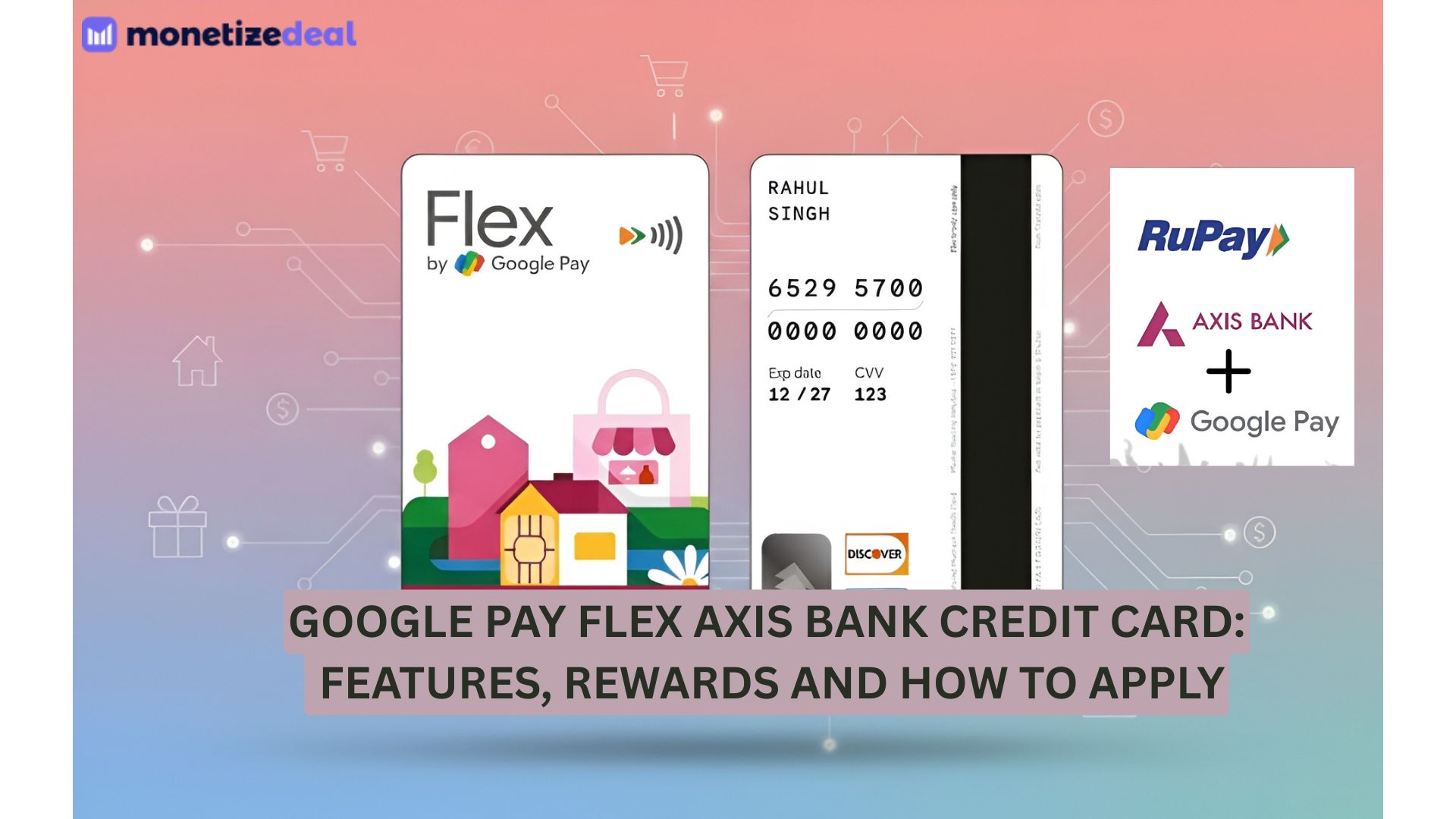
Google Pay and Axis Bank have collaborated to launch a new UPI-powered credit card, the Google Pay Flex Axis Bank credit card. Built on the RuPay network, the idea behind launching this credit card was to facilitate UPI payments and leverage traditional banking facilities. The Flex credit card is fully digital and allows users to make UPI payments with a credit card. Google Pay has initiated to make digital payments even more convenient and simplified with the Flex card. You can pay with this credit card everywhere you go – from Kirana store to online apps, for any purchase big or small.
The Flex credit card helps you make flexible payments while also giving you maximum rewards and benefits on your payments. You can instantly apply for this Google Pay UPI credit card and redeem Stars as rewards for your purchases. You can manage your credit card, check its usage, block or unblock your card for security purchases and much more. So what’s the wait for? Apply for the Flex card instantly and start saving big on your expenses.
Features of the Google Pay Flex Axis Bank Credit Card
- Digital Process – Since this is a fully digital credit card, the application process is also digital. You can instantly apply for the Flex card through Google Pay and get approval in minutes.
- Flexible Payments – You can access this credit card to make UPI payments anywhere and anytime. Whether you want to make online payments or offline payments directly to the merchant, you can easily manage it all via the Google Pay Flex credit card.
- Instant Rewards – Cardholders get instant rewards for making payments using the Flex credit card. On every payment, they receive ‘Stars’, each valued at Rs 1 which can be redeemed easily.
- Manage Flex Card on Google Pay – Google Pay allows you to manage all transactions carried out using the Flex credit card on the app itself. This also includes users being able to check their credit card limit usage, reset PIN, block or unblock card, set transaction limits and much more.
- Lifetime Free Credit Card – The best part about the Google Pay Flex Axis Bank credit card is that it is a lifetime free card, meaning users do not have to pay any account-opening or annual fees.
- EMI Option – You can choose how you want to pay your dues with this credit card – full payment or EMI installments. Based on your billing amount, you can split the payment into EMIs with flexible tenure options and low interest rates.
Rewards and Benefits of Google Pay Flex Axis Credit Card
- Redeem Stars – For every payment you make using the Google Pay Flex credit card, you receive Stars valued at Rs 1. So when you make a payment above Rs 500, you receive 1 Star.
- Welcome Benefit – Google Pay rewards you with a Rs 250 gift card and 250 Stars as a welcome benefit. Additionally, you receive 2 Stars on eligible spend of Rs 500 in the first reward cycle.
- 4X and 8X Rewards – Cardholders can unlock 4x rewards on every spend of Rs 500 if they spend more than Rs 15,000 in the same reward cycle. Also, if the spending increases tol Rs 30,000 or more in the same reward cycle, then cardholders can also unlock 8x rewards for every Rs 500 spent. This means that they will earn 4 or 8 Stars instead of 1 Star on their purchases exceeding Rs 500 respectively.
- Dining Benefits – You can get 15% off on dining across 10,000 restaurants via EasyDinner.
- Pause or Block Flex – As a cardholder, you can block or pause payments for security reasons until you reactivate them. This is beneficial for the time if you feel your card details have been stolen.
Documents Required For Google Pay Flex Axis Credit Card
Since the process to apply for the Google UPI credit card is online, you may be required to keep some documentation ready such as:
- Identity Proof – You can provide a copy of an Aadhaar card, PAN card, Passport, Voter ID, etc.
- Address Proof – You can use copy of an electricity bill, driving license, landline or telephone bill, etc.
- Proof of Income – For this, you can use the latest payslip, bank statement, Form 16, IT return copy, etc.
- Coloured Photograph – It is also better to keep a coloured passport size photograph for the verification process.
Eligibility Criteria
- The cardholder should be between 18 and 70 years of age.
- The cardholder should be a resident of India.
How to Apply For Google Pay Flex Axis Credit Card
You can apply for the Google Pay Flex credit card through your Google Pay app and follow the simple steps:
- Make sure that you have updated the Google Pay app to the latest version.
- Open the app and tap ‘Money’ at the bottom.
- Click on the ‘Get Flex’ banner and then choose ‘apply’.
- Next, click on continue and enter all your personal details.
- Share your PAN/Aadhaar details along with your employment details.
- Then add your card preferences and tap on the ‘accept and continue’ option.
- You will then receive an OTP which you have to enter for the verification process.
- Submit your application and then wait for confirmation.
- The bank will assess your credentials to check your eligibility and credit profile.
- Once approved, you can continue with your KYC process.
- Finally, your Google Pay Flex credit card will be issued digitally and you will be notified when the card is ready for use.
How to Manage Your Flex Credit Card?
On the Flex homepage on the Google Pay app, you can easily and conveniently manage your Google Flex credit card for the following purposes:
- Track Your Spending – You can view and track every transaction that you have made using the Flex card. From payment history to merchant name, you can easily track your spending.
- Set Transaction Limits – You can set transaction limits that suit your spending habits to keep your expenses in check.
- Due Dates and Bill Management – On the Flex homepage, all your bill amounts and due dates will be available so that you can see the amount details, available limits and recent transactions.
- Reward Details – You can even check details related to the number of Stars you have earned or used till now on the Flex homepage. Basically, you can trace your entire Star history.
- Payment Setting – You can manage which type of payment option you want to choose, enable or disable payment options, choose any repayment option and much more.
- Find Credit Card Details – You can easily find your credit card details like card number, expiry date and CVV for online transactions.
FAQs
1. Is the Google Pay Flex Credit Card safe to use?
Yes, using the newly launched Google Pay Flex credit card is extremely safe. Your data is encrypted and in compliance with the RBI guidelines. Flex uses only industry best security practices and any user level transaction data is not shared by Google.
2. How to apply for the flex credit card online?
The application process for the Flex credit card is digital and done through the Google Pay app. You can open your Google Pay account and navigate to the ‘Get Flex’ option. After that, you can give personal and employment details and finish the application process by completing KYC.
3. What is the fee structure for the Google Pay Flex credit card?
The Flex credit card is a lifetime free card which means you do not have to pay any joining fee or annual fee.
4. What are the payment options to pay the Flex credit card bill?
You can pay your credit card bills through any payment option you prefer – UPI, net banking or debit card.
5. What are Stars how they work?
Stars are reward points that you receive when you make any purchase above Rs 500 using the Google Pay Flex credit card. Each Star is valued at Rs 1 and you can redeem them to buy gift cards within the Google Pay app.

Muskan Sinha is a creative and passionate content writer, skilled at delivering high quality , engaging and SEO friendly content across diverse niches. With a zeal for storytelling and great critical thinking, she delivers clear, informative and impactful content that boosts audience engagement.



IDFC First Bank Referral Code: Earn 5% Cashback on Each Credit Card Referral
Last Updated on October 9, 2026 by Muskan Sinha IDFC First Bank is a leading private sector bank that offers...


Tripadvisor Affiliate Program: Earn Commission Up To 8% and 50% Revenue on Click Outs
Last Updated on October 6, 2026 by Muskan Sinha Tripadvisor is the world’s largest travel site, offering travellers over 1.4...


Flipkart Big Billion Days 2026: Sale Dates, Early Access, Top Deals and Savings Hacks
Last Updated on October 5, 2026 by Muskan Sinha The countdown to India’s biggest e-commerce festival is almost over. Flipkart...


HSBC Bank Affiliate Program: Earn Rs 3500 per Card Disbursement
Last Updated on September 29, 2026 by Muskan Sinha HSBC is one of the world’s largest banking and financial services...


Amazon Pay Referral Code: Earn Rs 25 Per Referral
Last Updated on September 22, 2026 by Muskan Sinha Amazon Pay is a digital payment service provided by Amazon to...


Times Prime Referral Code: Get Up To Rs 1000 Off on Membership Plans
Last Updated on September 18, 2026 by Muskan Sinha Times Prime is an all-in-one membership platform that brings together the...


Sephora Affiliate Program: Earn Commission Up To 10%
Last Updated on September 15, 2026 by Muskan Sinha Sephora is the go-to choice for individuals when it comes to...


Best Jewellery Business Ideas for Individuals in 2026
Last Updated on August 18, 2026 by Muskan Sinha Jewellery never goes out of style and today people across fashion...


Times Prime Affiliate Program: Earn a Flat Commission of Rs 300
Last Updated on August 14, 2026 by Muskan Sinha Times Prime is an all in one premium membership platform that...


upGrad Referral Code: Earn Referral Rewards Up To Rs 80,000
Last Updated on August 11, 2026 by Muskan Sinha upGrad is India’s top upskilling platform, offering a wide range of...
-

 List2 years ago
50 Best Telegram Channels For Movies and Web Series
-

 List1 year ago
20 Best Telegram channels for viral video link
-

 List2 years ago
50 Best Money Earning Apps in India Without Investment
-

 Finance2 years ago
10 Best Telegram Channels for Forex Trading Signals
-

 List2 years ago
500+ Funny YouTube Channel Name Ideas for 2026 | List of Top Comedy Channel names
-

 List2 years ago
25 Best Telegram Channels for Stock Market, Bank Nifty and Intraday Trading
-

 List2 years ago
20 Best SEBI Registered Telegram Channels in India 2026
-

 List2 years ago
120 Best Telegram Channel Links to Join in 2026